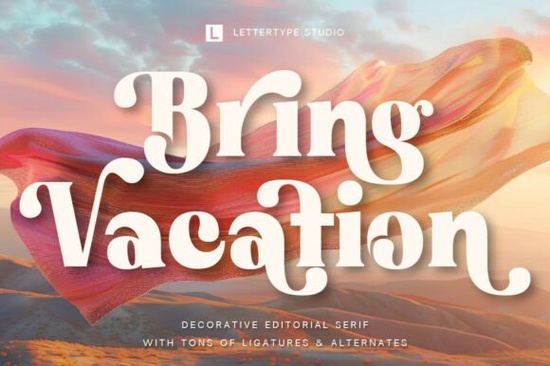
If you've been searching for a serif font with personality and editorial flair, Bring Vacation Font might be exactly what your next project needs. It's a decorative serif that combines artistic curves, expressive ligatures, and a vintage-inspired feel making it a strong choice for designers who want their headlines and logos to leave a lasting impression.
What Makes Bring Vacation Font Stand Out?
Most serif fonts fall into two camps: safe and practical, or ornate and hard to read. Bring Vacation sits in a sweet spot between both. Its flowing terminals and distinctive letterforms give it a cinematic, editorial quality without sacrificing legibility. You can use it in large display sizes and still read every letter clearly.
The ligatures are worth noting. They blend characters together in a way that feels organic, almost like hand-lettering. That detail alone sets it apart from standard serif fonts you might find bundled with design software. If you've explored decorative modern serif fonts, you'll notice Bring Vacation has its own visual rhythm less geometric, more expressive.
Who Is This Font Designed For?
Bring Vacation works well for a range of creative professionals and hobbyists:
- Boutique brand owners who want a logo that feels high-end and memorable
- Fashion and lifestyle bloggers looking for an editorial aesthetic in their graphics
- Print-on-demand sellers creating mug designs, poster quotes, or T-shirt typography
- Wedding stationery designers who need elegance without looking stuffy
- Book cover designers working on romance, fiction, or lifestyle titles
- Small business owners building packaging, labels, or promotional materials
If you design invitations or event stationery, this font pairs nicely with scripts from a wedding font collection for a layered, professional look.
What Projects Work Best With This Typeface?
Because of its decorative nature, Bring Vacation shines in projects where type is the focal point. Here are some practical uses:
- Logos and wordmarks especially for fashion, beauty, or lifestyle brands
- Magazine covers and editorial layouts its cinematic quality suits bold headlines
- Social media graphics Instagram posts, Pinterest pins, and story templates
- Book and album covers the vintage-inspired curves add depth and character
- Packaging design think candles, skincare, artisan food labels
- Poster and art prints the letterforms look striking at large sizes
For packaging projects, you might also consider pairing it with something like Solguse for body text or supporting details. The contrast between a decorative display serif and a cleaner companion font usually creates a balanced layout.
How Does It Compare to Other Editorial Serifs?
There are plenty of decorative serifs on the market, so it's fair to ask how Bring Vacation holds up. Compared to something like Elora Maison, which leans more refined and delicate, Bring Vacation feels bolder and more expressive. It has a stronger visual presence in headlines.
On the other hand, fonts like Geista Mond offer a different personality more structured and modern. Bring Vacation leans into its vintage roots with curved terminals and artistic ligatures that give it warmth and movement.
Ultimately, the right choice depends on the mood of your project. If you want something that feels romantic, cinematic, and editorial, Bring Vacation is a strong pick. You can view Bring Vacation on Creative Fabrica to see the full character set and test it in your own designs.
Tips for Getting the Most Out of This Font
A few practical suggestions based on how decorative serifs like this one typically perform:
- Use it at larger sizes. Display fonts like this are built for headlines, not paragraphs. Stick to 24pt and above for the best results.
- Watch your letter spacing. Decorative serifs often benefit from slightly tighter tracking in headlines. Test a few adjustments.
- Pair it with a simple sans-serif. A clean geometric sans for body text keeps the layout readable and lets the display font do its job.
- Explore the ligatures. OpenType features like stylistic alternates and ligatures are where this font really comes alive. Make sure your software supports them.
- Test on mockups first. Before committing to a final design, preview the font on product mockups or layout templates to see how it actually looks in context.
Quick Checklist Before You Buy
Before purchasing, run through this list to make sure it's the right fit:
- ✅ You need a display or headline font, not a body text font
- ✅ Your project calls for an editorial, vintage, or boutique aesthetic
- ✅ You've checked the license terms for your intended use (commercial, POD, etc.)
- ✅ You've previewed the font with your own text to confirm it fits your vision
- ✅ You have design software that supports OpenType features like ligatures and alternates
Take a few minutes to test the font with your project name or headline before committing. A font that looks great in a specimen sheet might not suit every context but when it fits, a typeface like this can genuinely shape the entire feel of your design. Download Now
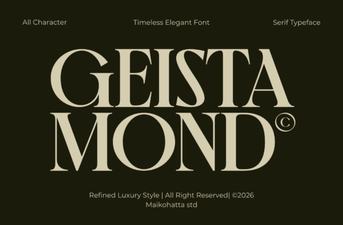 Discover Geista Mond Font for Modern Creative Projects
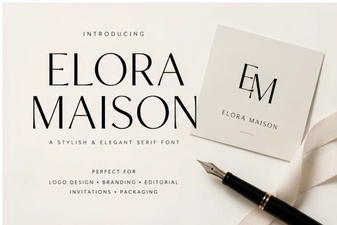 Elora Maison Font: Elegant Design for Creative Projects
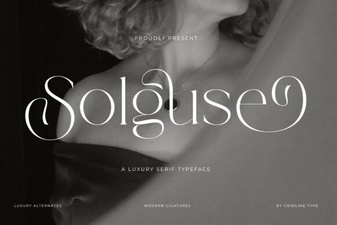 Solguse Font: a Bold Display Typeface for Creative Projects
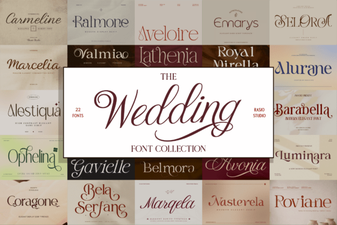 Beautiful Wedding Collection Fonts for Invitations and Designs
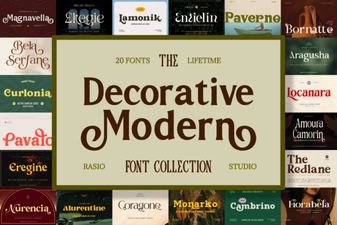 Elevate Your Designs with Modern Decorative Fonts
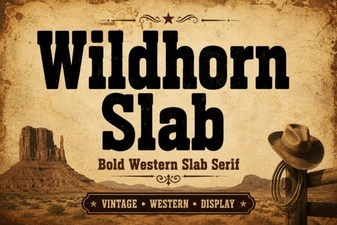 Wildhorn Slab Font: Bold Typography for Striking Designs